
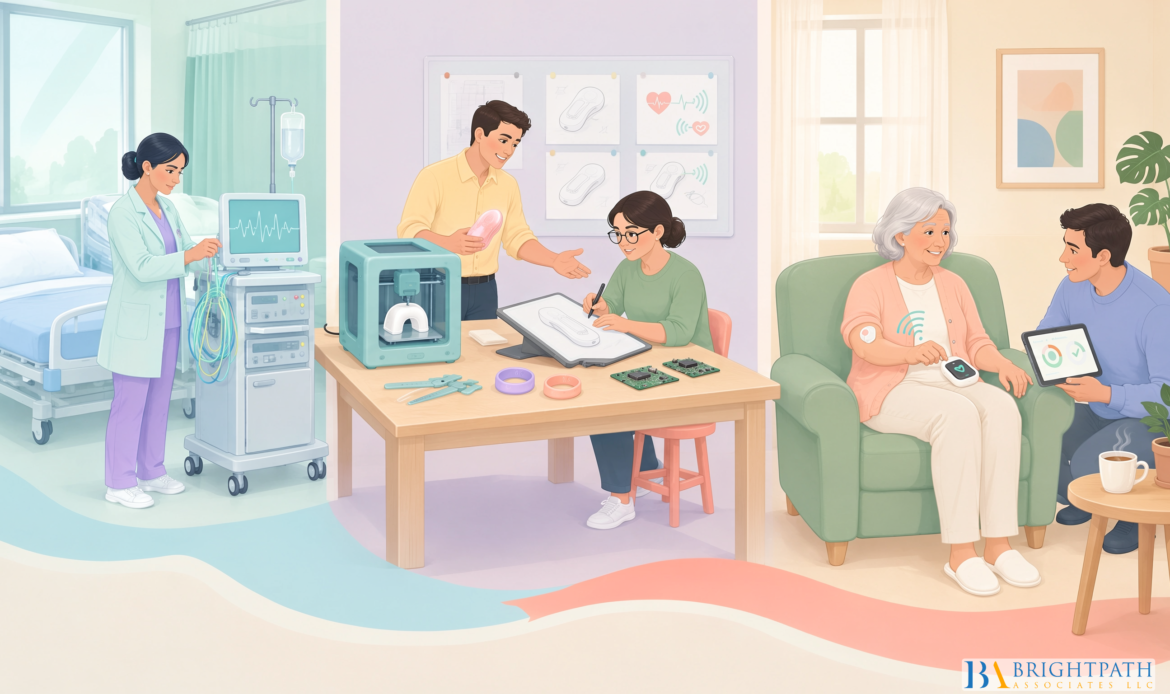
From Hospital to Home: Designing Devices for the Ambulatory Care Shift for Medical Device #ManufacturingIndustry requires more than shrinking a clinical device or adding an app. A device that performs well in a supervised care setting can still fail at home if setup is confusing, alarms are unclear, connectivity drops, or no one knows who is responsible for maintenance. We need to design for the full care transition, not just the device itself.
Table Of Contents
• Treat the Home as a Real Operating Environment
• Build Home Use Into Design Controls
• Design Connected Devices for Safe Degraded Modes
• FAQ: Hospital to Home Device Design
• Sources
Treat the Home as a Real Operating Environment
Ambulatory care moves treatment, monitoring, and recovery beyond inpatient settings. The change affects the entire product requirement set: users are often nonprofessionals, supervision may be intermittent, and the use environment can shift from a quiet bedroom to a crowded apartment, a rural home, a vehicle, or temporary lodging.
The U.S. Food and Drug Administration describes home use as use outside a professional healthcare facility, including use by patients, family members, and caregivers. Its Medical Device Home Use Initiative White Paper also emphasizes the role of user labeling and professional training when they are needed for safe use.
That definition has a practical implication: manufacturers should not treat “home” as one standardized environment. A home is a changing system of people, space, equipment, routines, and infrastructure.
Create Environment Profiles Before Finalizing Requirements
A useful #DevelopmentPractice is to create environment profiles that represent the places and circumstances where the device is likely to operate. Each profile should include the physical setting, the available support, and the conditions that can interfere with correct use.
| Environment Profile | Likely Constraint | Design Response |
|---|---|---|
| Small apartment | Limited counter space, shared outlets, background noise | Compact footprint, clear cable routing, visual and tactile alarms |
| Rural or low coverage home | Intermittent cellular or Wi Fi service | Offline operation, local data storage, delayed synchronization rules |
| Shared family household | Multiple people may touch or move the device | Role based instructions, tamper resistance, clear ownership of tasks |
| Temporary lodging or travel | Transport vibration, missing accessories, unfamiliar power setup | Durable packaging, guided startup checks, replacement supply plan |
| Mobility limited user setting | Reduced reach, dexterity, vision, or stamina | Larger controls, accessible display, fewer assembly steps, caregiver pathway |
The FDA’s home use design considerations guidance supports evaluating risks tied to users and caregivers, labeling, maintenance, portability, and the home environment. The point is not to build one product for every possible living arrangement. It is to define the intended use conditions honestly and make design choices that remain safe within them.
For example, a remote monitoring device may be clinically accurate in a controlled test room. But if the user must pair it to a phone, recharge it nightly, position it correctly, and recognize a missed transmission, the actual product experience includes every one of those steps. Clinical performance is necessary. Successful home operation is separate evidence that must also be designed and tested.
Design for Handoffs, Not a Single “User”
#HospitalDevices often assume a trained clinician owns setup, alarm response, cleaning, documentation, and escalation. At home, responsibility can be divided among the care recipient, a spouse, an adult child, a visiting nurse, and a remote clinical team. The risk is not simply user error. It is ownership ambiguity.
Consider an infusion device that displays a low battery alert. The patient may assume the caregiver will address it. The caregiver may assume the clinic receives the alert remotely. The clinician may see no data because the device is offline. A safe device workflow should make the next action explicit.
We should assign each critical responsibility to a named role:
- Care recipient: Daily use, routine checks, symptom reporting, and simple recovery steps.
- Lay caregiver: Assistance with setup, supply replacement, escalation, or tasks the patient cannot reliably perform.
- Clinical team: Therapy changes, interpretation of transmitted data, and response to defined clinical alerts.
- Manufacturer or service partner: Technical support, device replacement, maintenance, repair, and return processing.
The FDA notes that manufacturers should define responsibilities for care recipients, caregivers, and care partners, while considering training and retraining. Alarm design should also account for visual, auditory, and tactile signals, including hearing impairment and household noise. Those expectations matter because a technically correct alarm has little value if the wrong person hears it, misunderstands it, or assumes someone else will act.
Treat Accessibility as an Engineering Input
Accessibility should shape early product requirements, not become a late labeling exercise. If a device depends on color alone, small text, fine motor control, or a complex memory sequence, those decisions can exclude users or create hidden safety risks.
A practical approach is to segment representative users by relevant capabilities rather than broad demographic labels. Depending on the device, this may include users with limited vision, reduced hand strength, impaired hearing, low health literacy, language needs, anxiety around medical technology, or fluctuating cognitive capacity.
This does not mean every device must serve every possible user without assistance. It means the intended user population, support model, and limits of safe use need to be explicit. If caregiver assistance is required for a critical task, design and labeling should say so clearly. Silent assumptions are weak risk controls.
Build Home Use Into Design Controls
The strongest home use strategy begins before design freeze. We should connect user research, #RiskAnalysis, engineering specifications, usability evidence, manufacturing readiness, and postmarket learning through a traceable design control process.
The FDA’s human factors and usability engineering guidance supports identifying use related hazards, applying risk controls, validating the final user interface, and integrating human factors into design and risk management. In practice, that means home use cannot sit in a separate “training” workstream after the hardware is complete.
Use a Stage Gated Development Model
| Development Gate | Core Question | Useful Evidence |
|---|---|---|
| User and workflow discovery | Who performs each task, where, and under what constraints? | Contextual interviews, journey maps, environment profiles |
| Requirements definition | What must the device prevent, detect, or make easier? | Use related risk analysis, critical task list, design inputs |
| Prototype evaluation | Can representative users understand and complete key tasks? | Formative usability studies, interface revisions, comprehension checks |
| Verification | Does the built device meet measurable design specifications? | Engineering test results, software testing, packaging and transport tests |
| Validation | Can intended users use the final interface safely and effectively? | Human factors validation in realistic simulated use conditions |
| Commercial learning | What failures appear after distribution and routine use? | Complaint trends, support logs, returns, telemetry, corrective actions |
The FDA’s home use design guidance PDF supports realistic usability testing with representative users and recognizes that safety emerges from the interaction of users, devices, and environments. A simulated home test should therefore include more than a device on a clean table.
Test conditions might include limited lighting, household noise, distractions, cluttered outlets, interrupted connectivity, incomplete supplies, and an unexpected alarm during a task. The goal is not to make users struggle for its own sake. It is to discover whether the interface still guides safe action when real life intrudes.
Define Acceptance Criteria Before Validation
Human factors validation should not rely on a vague conclusion that participants “liked” the device. Before testing, define what safe performance looks like for each critical task.
Critical tasks are actions where failure could lead to serious harm. For a home respiratory device, examples could include attaching the correct accessory, responding to an occlusion alarm, confirming a prescribed setting, or recognizing when immediate clinical support is needed.
Acceptance criteria may address:
• Whether a participant completes the task correctly without assistance
• Whether any use error creates a hazardous situation
• Whether users understand the alarm priority and required action
• Whether recovery after an interruption is possible without creating a new error
• Whether training remains effective after a realistic delay
There is no universal numeric threshold for setup time, acceptable error rate, or alarm response time across all medical device categories. A wearable monitor and a life sustaining therapy device should not be judged by identical criteria. The safer approach is to tie acceptance criteria to the severity of harm, frequency of use, complexity of the task, available support, and ability to detect and recover from failure.
For instance, a delayed data upload may be tolerable for a nonurgent wellness trend. It may not be acceptable when clinicians rely on the data to identify a rapidly worsening condition. The device requirement should state that difference directly.
Make Instructions Part of the User Interface
Packaging, quick start materials, labels, on screen prompts, cleaning directions, and support scripts all influence use. FDA guidance treats these touchpoints as part of the user interface, not as secondary documentation.
Strong instructions answer one question at a time. They show the action, the expected result, and what to do if the result is different. They should also match the device itself. A screen may say “replace cartridge,” while a printed guide calls the same part a “reservoir.” That small language mismatch can create hesitation at exactly the wrong moment.
Training should be proportionate. Avoid requiring complex training for a device that could be made more intuitive through design changes. But do not pretend that an inherently complex therapy is simple. In those cases, training, competency checks, retraining triggers, and accessible support may be necessary #RiskControls.
Design Connected Devices for Safe Degraded Modes
Remote monitoring and telehealth can extend care beyond the hospital, but connectivity is not a safety feature unless the device behaves predictably when connectivity fails. Many homes have weak cellular coverage, shared networks, changed passwords, depleted phone batteries, or routers that restart without warning.
The right question is not, “Does it connect?” It is, “What happens safely when it does not?”
Leveraging Technology in Medical Devices offers useful context on how digital transformation can support device innovation. For hospital to home products, that innovation should include clear boundaries between local therapy functions and cloud dependent features.
Separate Therapy Safety From Data Transmission
A device should not unnecessarily stop a safe local function because a cloud service is temporarily unavailable. At the same time, it should not hide a connectivity failure if missing data could affect patient care.
A resilient architecture typically defines four states:
- Connected and synchronized: The device operates normally and transfers data as intended.
- Connected but degraded: The device identifies a weak signal, delayed transfer, or service issue and informs the user when action is needed.
- Offline but safe: The device continues essential local functions, stores relevant data securely, and queues synchronization.
- Offline and clinically consequential: The device gives a clear escalation instruction because the missing connection changes the safety of care.
This distinction avoids two poor outcomes: alarming users about every short signal interruption, or silently allowing a meaningful data gap to persist.
Plan for Power, Recovery, and Data Integrity
Home use design also has to account for charging habits, depleted batteries, damaged adapters, outages, and devices moved between rooms. The FDA identifies power interruption, battery operation, recharging, replacement, backup power, and outages as relevant home use #DesignConsiderations.
Manufacturers should document what users can expect in plain terms. Does the device save settings after power loss? Does it resume operation automatically? Must the user complete a safety check? Will unsent data synchronize later? Can a low battery condition change measurement accuracy or therapy delivery?
A clear recovery path may look like this:
• The device detects the interruption and preserves the last safe state.
• The display explains whether therapy or monitoring continued, paused, or requires confirmation.
• The user receives one prioritized action, not a long technical warning.
• The device logs the event for service and clinical review when appropriate.
• A support pathway is available if the user cannot restore safe operation.
Design the Alarm System Around Decisions
Alarm fatigue can occur at home just as it can in clinical care, but the home setting adds different pressures. A caregiver may be cooking, sleeping, driving, or supporting more than one family member. A patient may hear the alarm but not understand whether it signals urgency, maintenance, or a lost network connection.
Each alarm should answer three questions: What happened? What should the user do now? What happens if they do nothing? If the response differs by urgency, the device should make that difference obvious through signal pattern, message content, and escalation logic.
Avoid using alarms to compensate for unclear workflows. If a consumable must be replaced every week, a well designed schedule and advance reminder may be better than a late, urgent alert. If a remote care team is expected to act, the product should state when the team is notified and what the user must still do.
Key Takeaways
Make the Transition the Product Requirement
The ambulatory care shift changes device manufacturing from a product delivery task into a transition of care problem. A device may be accurate, durable, and connected, yet still create risk if a patient cannot set it up, a caregiver cannot interpret an alert, or a service team cannot replace it quickly.
The FDA’s Home Use Devices Initiative supports designing, testing, and labeling medical devices for safe use by patients and caregivers in nonclinical settings. That principle should carry through design controls, manufacturing processes, and commercial support planning.
The following priorities deserve leadership attention:
• Build environment profiles for intended home, community, and travel settings.
• Assign responsibility for every critical task, alarm, and maintenance activity.
• Define critical task acceptance criteria before human factors validation begins.
• Engineer offline resilience instead of treating connectivity loss as an exception.
• Separate clinical performance evidence from proof that people can operate the device safely at home.
• Plan for packaging, cleaning, calibration, repairs, replacement parts, returns, and refurbishment before launch.
Serviceability deserves particular attention. A device fleet that moves between facilities and homes needs a documented path for inspection, cleaning, calibration, repair, packaging, and return to service. A returned unit may have no visible defect but still require review for contamination, missing accessories, damaged connectors, depleted battery health, or incomplete event logs. Those decisions affect quality, cost, inventory availability, and patient continuity.
Medical Device Innovation Accelerates Healthcare explores the broader role of innovation in healthcare delivery. For ambulatory devices, the most valuable innovations often remove a point of uncertainty: a connector that cannot be inserted incorrectly, an alarm that explains the next action, or a device that remains safe when the network disappears.
Patient centered design also extends beyond device mechanics. Pharma Strategies for Patient-Centric Care highlights why care models should account for the person receiving treatment, not only the therapy itself. In medical device manufacturing, that means designing for routines, home constraints, confidence, and the real support available after discharge.
FAQ: Hospital to Home Device Design
What Makes a Medical Device Suitable for Home Use?
A suitable home use device supports safe operation by intended users in expected nonclinical environments. It has clear task flow, appropriate instructions, defined maintenance needs, understandable alarms, and a safe response to power or connectivity problems. Suitability also depends on whether the patient can self manage the device or needs caregiver or #ProfessionalSupport.
How Does Ambulatory Care Change Device Design Requirements?
Ambulatory care increases the importance of portability, shorter setup time, caregiver handoffs, remote monitoring, transport durability, and independent operation. It also requires manufacturers to account for variable homes, community settings, and moving vehicles rather than assuming a controlled clinical room.
How Should Manufacturers Identify Home Use Hazards Before Design Freeze?
Start with real workflows rather than device features. Map every task from unboxing through disposal or return. For each task, ask who performs it, what could go wrong, how the error would be detected, and whether the user can recover safely. Convert the answers into design inputs, risk controls, labeling needs, training requirements, and validation scenarios.
What Should a Realistic Usability Test Include?
It should include representative patients, caregivers, and other intended users performing critical tasks with the final or near final interface. Simulated conditions should reflect likely distractions and constraints, such as noise, poor lighting, clutter, reduced connectivity, incomplete supplies, or an unexpected alarm. Testing should assess correct action and safe recovery, not just satisfaction.
What Should Happen When Wi Fi or Cellular Service Fails?
The device should enter a defined degraded mode. Essential local functions should continue when clinically appropriate, data should be stored securely when possible, and users should receive clear instructions if lost connectivity affects safety. The design should distinguish a short delay from a situation that needs immediate escalation.
How Should Manufacturers Divide Responsibilities Between Patients, Caregivers, and Clinicians?
Assign one accountable role for each critical activity, including setup, daily checks, alarm response, supply replacement, maintenance, and clinical escalation. If responsibility shifts by time of day or patient ability, the workflow should state when that shift occurs. Shared responsibility without a clear handoff is a predictable failure point.
How Can Manufacturers Measure Whether a Device Supports a Safe Transition Home?
No universal measure fits every device category, but manufacturers can track setup completion, use errors, support calls, missed transmissions, alarm misunderstandings, replacement rates, return reasons, and complaint trends. These measures should be interpreted alongside clinical follow up, not as substitutes for clinical outcome evidence. For example, fewer support calls may reflect a clearer interface, but they could also reflect users giving up without #ContactingSupport. Qualitative review still matters.
Sources
- US Food and Drug Administration — Design Considerations for Devices Intended for Home Use
https://www.fda.gov/regulatory-information/search-fda-guidance-documents/design-considerations-devices-intended-home-use - US Food and Drug Administration — Design Considerations for Devices Intended for Home Use, PDF
https://www.fda.gov/media/84830/download - US Food and Drug Administration — Applying Human Factors and Usability Engineering to Medical Devices
https://www.fda.gov/media/80481/download - US Food and Drug Administration — Home Use Devices Initiative
https://www.fda.gov/medical-devices/home-use-devices/home-use-devices-initiative - US Food and Drug Administration — Medical Device Home Use Initiative White Paper
https://www.fda.gov/files/medical%20devices/published/Medical-Device-Home-Use-Initiative—-White-Paper.pdf - BrightPath Associates — Proprietary Sales in Medical Device Industry 2026 Trends
Find your next leadership role in Medical Device Industry today!
Stay informed with the latest insights on Medical Device Industry!